Categories
Accessing & Organising Files within a Project
Tecology Workspace keeps files organised by project. This means you won’t see a global file library or shared folders across your whole account. Instead, files are stored within the project they relate to, keeping everything automatically categorised and easy to find.
Where files are stored
Files are stored inside each project and are available to people who have access to that project.
You’ll typically find files in:
- The Files area within a project
- Specific tasks (files uploaded to a task stay attached to that task)
- Support tickets (files uploaded to a ticket stay attached to that ticket)
Opening the Files area in a project
To view project files:
- Open Projects
- Select the relevant project
- Open the Files section within the project
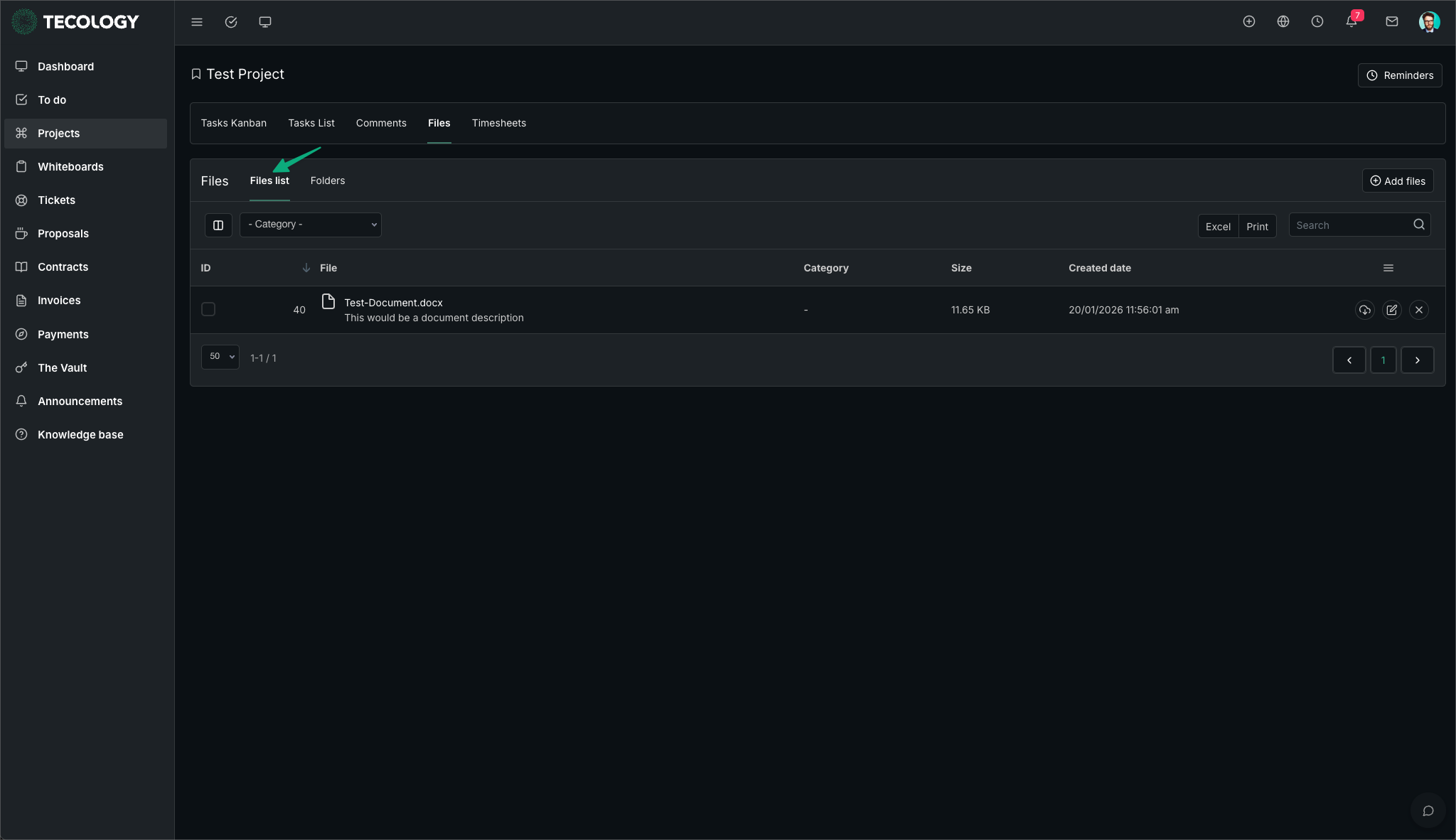
Files view options (Files, Files list, and Folders)
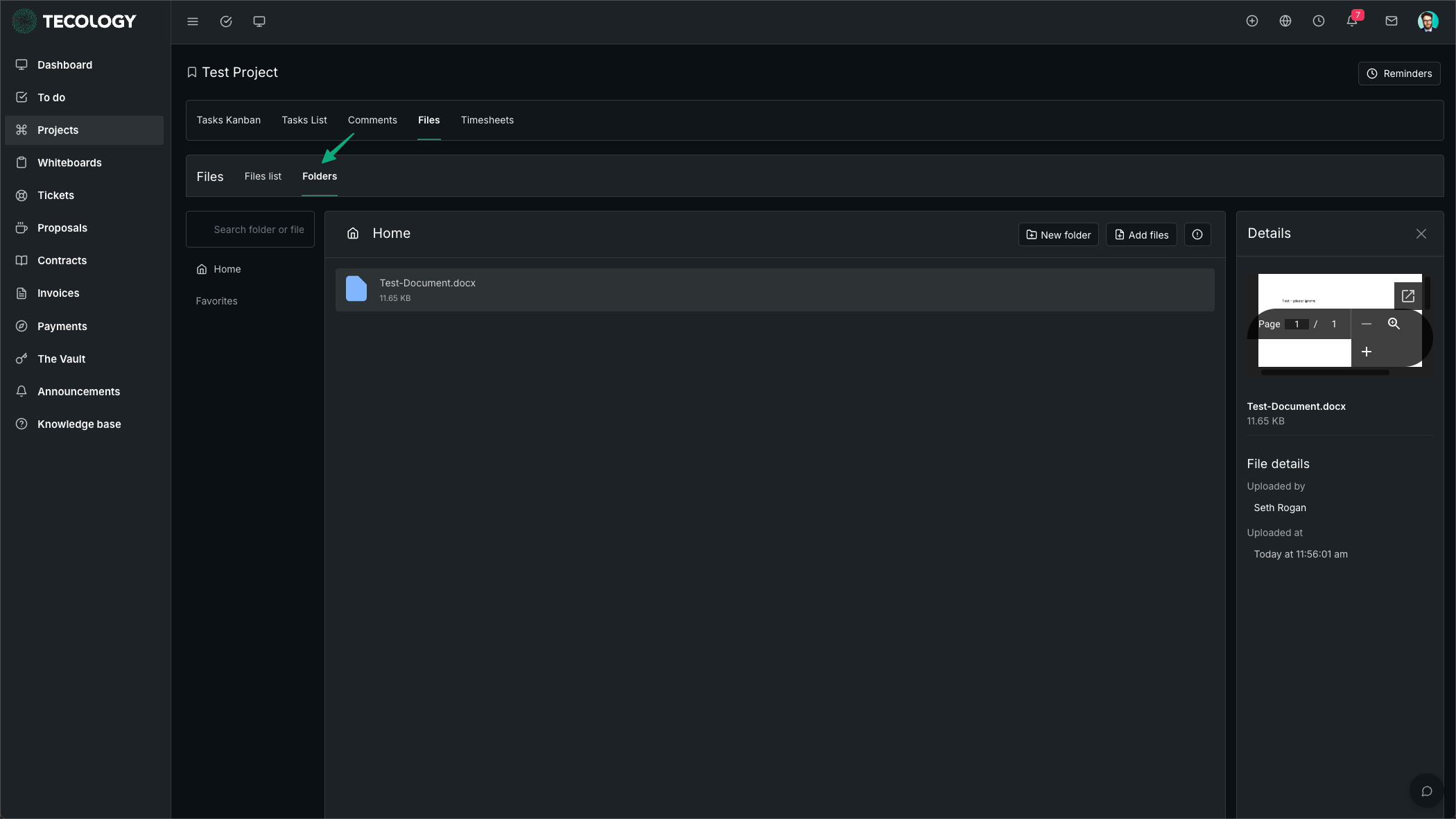
Within a project’s Files section, you may see multiple ways to browse your files:
- Files list: A table view showing file details such as name, size, created date, and other metadata.
- Folders: A folder-based view for organising project files into sections (for example: “Designs”, “Reports”, “Meeting notes”).
The exact options available depend on your access level.
Organising files using folders
Folders help you keep project documents tidy and easy to find. A simple approach is to create folders that match the type of work being done, such as:
- Designs
- Content
- Reports
- Approvals
- Meeting notes
If you’re unsure how something should be organised, it’s fine to upload it and leave it in the main area — Tecology can organise it as part of ongoing project management.
A note on sensitive information
General project files are not the right place for passwords, card details, bank details, or other sensitive credentials.
Sensitive information should be stored in The Vault, which is designed specifically for the secure storage of items like:
- General passwords and software logins
- Credit cards and banking details
- Email account login details