Categories
Choosing the Right Ticket Type
When submitting a support request in Tecology Workspace, selecting the correct ticket type helps ensure your request is reviewed by the right team and handled as efficiently as possible.
If you’re unsure, choose the option that best matches the outcome you’re looking for. The Tecology team can always adjust it if needed.
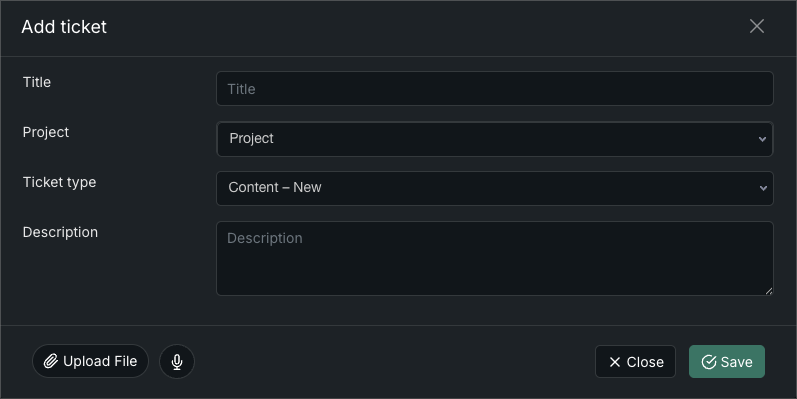
Selecting a related project
If your request relates to an existing project, select the relevant project when creating the ticket.
Linking a ticket to a project provides additional context and helps keep all related communication and work in one place.
Content – New
Use Content – New when you are requesting new content that does not already exist.
Examples include:
- New pages or sections
- New written content
- New posts or resources
This ticket type is best used when something is being created from scratch.
Content – Update
Use Content – Update when you want changes made to existing content.
Examples include:
- Updating text or images on an existing page
- Amending published content
- Correcting or refining existing information
If the content already exists, this is usually the right option.
MSP – Managed IT Support
Use MSP – Managed IT Support for requests related to your managed IT services.
Examples include:
- Email or Microsoft 365 issues
- Device or user access problems
- General IT support covered under your managed services
This helps route IT-related issues correctly.
Project / Enhancement
Use Project / Enhancement for planned work, improvements, or enhancements that go beyond day-to-day support.
Examples include:
- New features or functionality
- Design or structural improvements
- Larger scoped changes
These requests may be reviewed as part of an existing project or assessed separately.
Security / Incident
Use Security / Incident for anything related to security concerns.
Examples include:
- Suspected security issues
- Access concerns
- Incidents that may require urgent attention
If something feels security-related, this is the correct choice.
Support – Bug / Issue
Use Support – Bug / Issue when something is not working as expected.
Examples include:
- Errors or broken functionality
- Pages not loading correctly
- Features behaving incorrectly
Including clear steps to reproduce the issue is especially helpful.
Support – How-to / Help
Use Support – How-to / Help when you need guidance or assistance rather than a fix.
Examples include:
- How to use a feature
- Clarification on how something works
- General questions about your setup
This ticket type is ideal for questions and explanations.
If you’re not sure
If you’re unsure which ticket type to choose, select the closest match and describe your request clearly. The Tecology team will adjust the ticket if needed.
Next step
Once your ticket is submitted, you can track updates and reply directly within Tecology Workspace to keep everything in one place.