Categories
Viewing Your Active Projects
Tecology Workspace allows you to view projects that are currently active, ongoing, or recently completed. Projects provide visibility into structured work, including both time-bound projects and ongoing services such as monthly retainers or managed IT support plans.
What counts as a project
Projects are used to organise planned or ongoing work. This can include:
- Website builds, redesigns, or enhancements
- Feature development or larger scoped changes
- IT Consultancy Services
- Ongoing monthly retainers
- Managed Service Provider (MSP) or managed IT plans
Using projects for ongoing services allows tasks to be created, tracked, and reviewed on a continuous basis.
Where to find your projects
You can access your projects from the projects section within Tecology Workspace.
From there, you’ll see a list of projects you have access to, along with their current status.
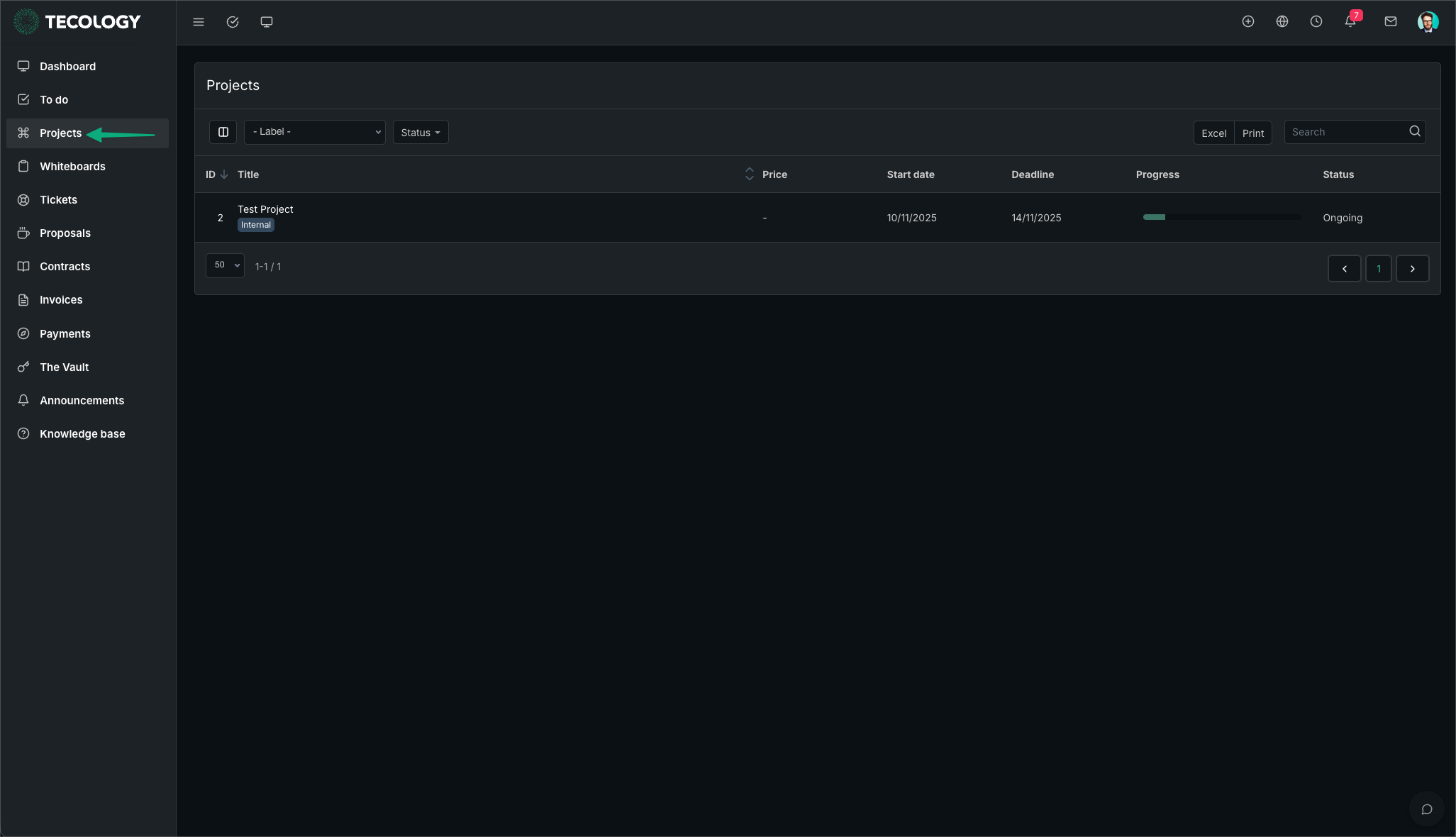
Project statuses you may see
Each project has a status that indicates its current state:
- Open – The project has been created and work is beginning
- Ongoing – The project represents continuous or recurring work, such as a retainer or MSP plan
- On hold – Work is paused, often awaiting input or a decision
- Completed – The planned work has been finished
- Cancelled – The project has been stopped and is no longer active
Statuses provide high-level visibility rather than detailed timelines.
Who can see a project
Access to projects depends on your role and permissions. You will only see projects that are relevant to you or your organisation.
If multiple people from your organisation are involved, they may also have visibility over the same project.
What information a project contains
Opening a project allows you to view updates, tasks, and discussions related to that work.
For ongoing projects, tasks may be added regularly to reflect new requests, work items, or priorities over time.
If you don’t see a project
If you believe work is underway but don’t see a related project, it may be managed through support tickets instead.
If you’re unsure, submitting a support ticket is the best way to ask for clarification.
Next step
Select a project to review its details or check for updates. For questions or changes related to project work, use a support ticket so requests can be tracked properly.