Categories
Tasks and Action Items in Projects
Tasks are used within projects to organise, assign, and track individual pieces of work. They allow both clients and the Tecology team to collaborate on agreed actions in a structured and transparent way.
What tasks are used for
Tasks represent specific units of work within a project. This may include development work, configuration changes, content updates, reviews, or agreed follow-up actions.
Tasks are created once work has been scoped or approved and provide a clear record of progress and delivery.
Task views: Kanban and List
Tasks can be viewed in two different ways, depending on how you prefer to work.
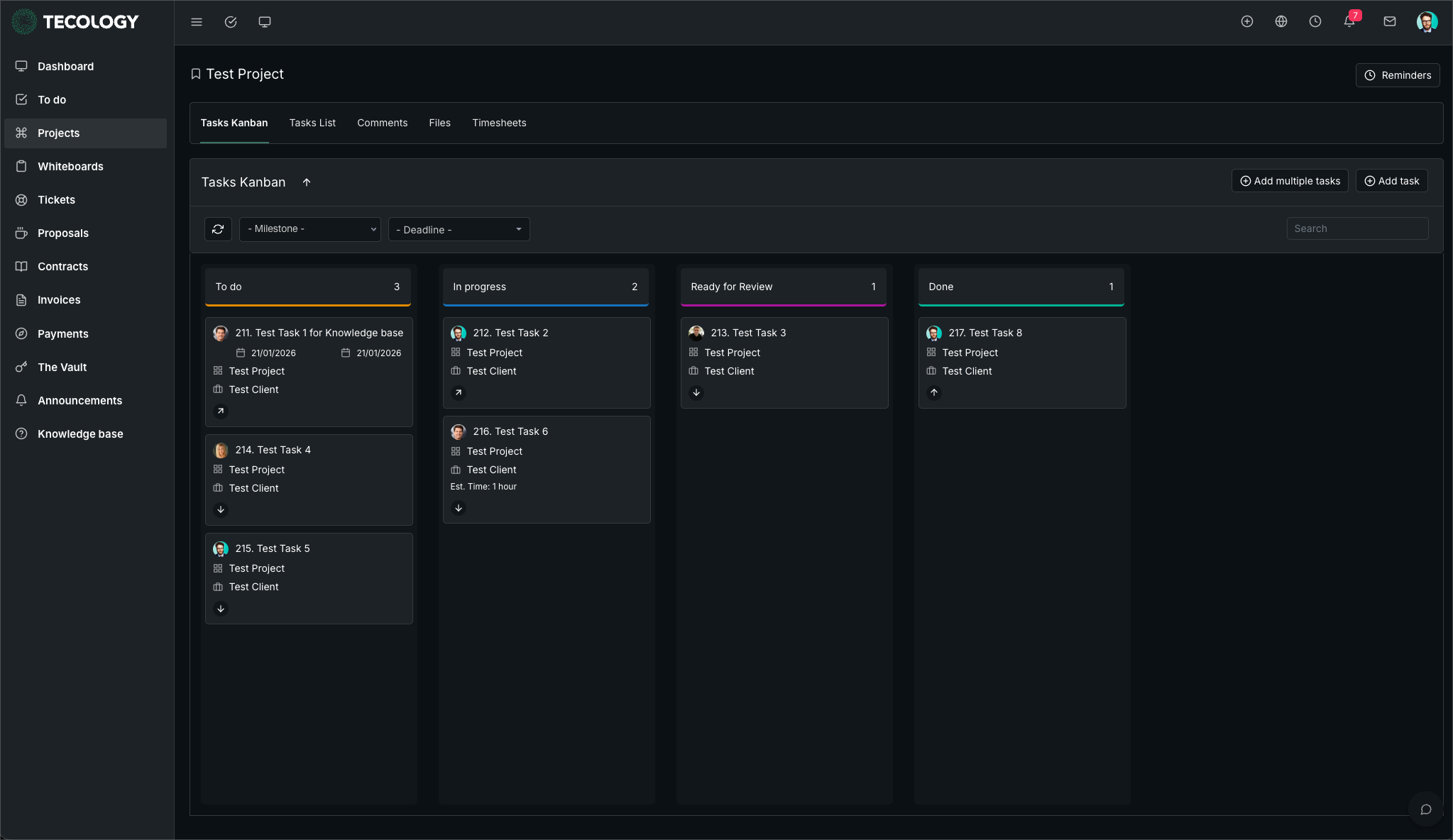
Kanban view displays tasks as cards organised into columns based on their current stage. This is useful for visualising progress and understanding workload at a glance.
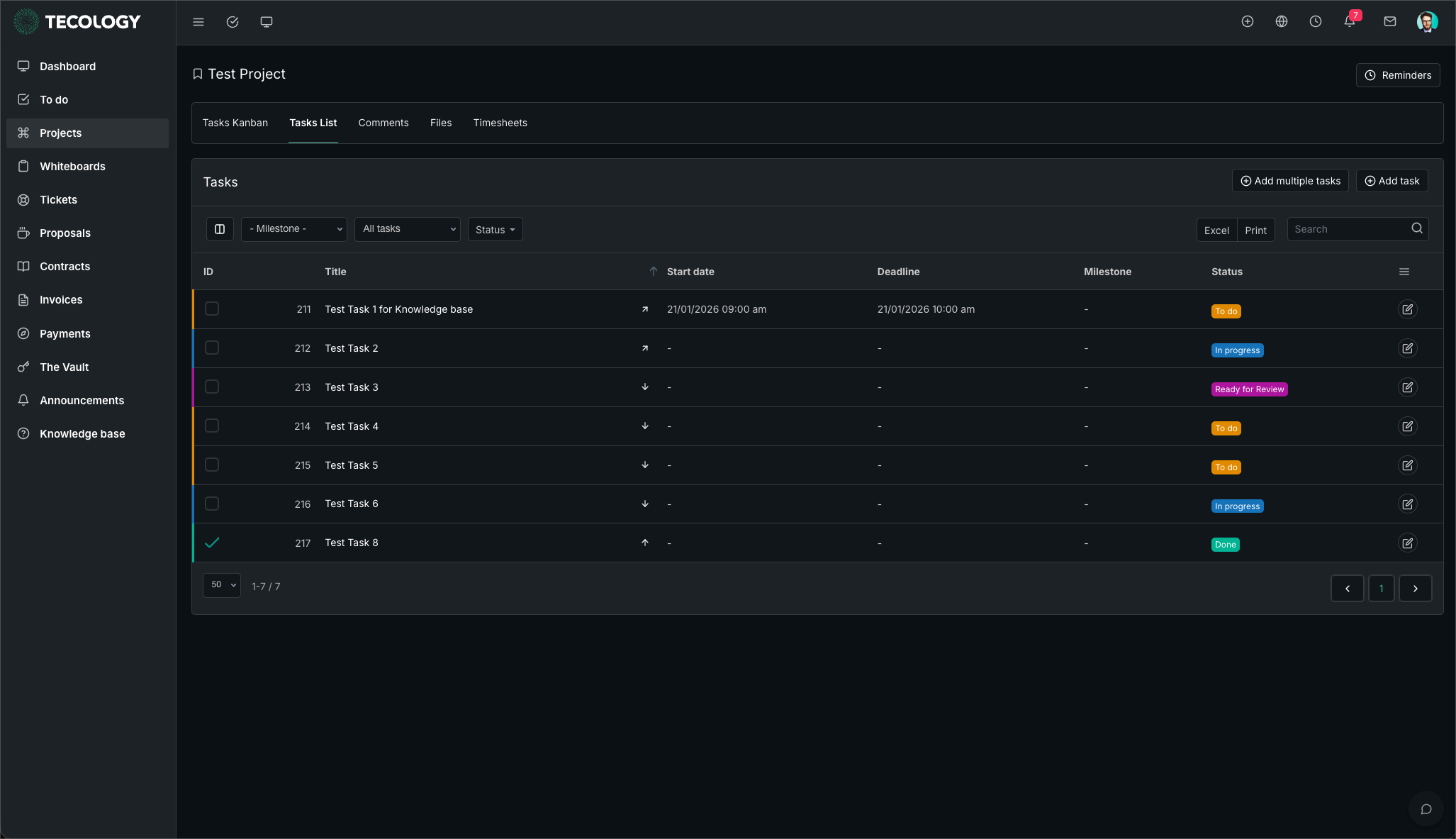
List view displays tasks in a structured list format, making it easier to review details such as deadlines, assignees, and priorities.
Task stages
Tasks move through defined stages as work progresses. These stages help everyone understand the current status of each task.
- To do
- In progress
- Ready for review
- Done
As tasks move between stages, the changes are visible to everyone involved in the project.
Filtering and sorting tasks
Tasks can be filtered and sorted to help you focus on what matters most.
You may filter tasks by milestone, deadline, or other attributes depending on the project setup.
This is especially useful for larger projects or ongoing services where many tasks may be active at once.
Assigning tasks and collaborators
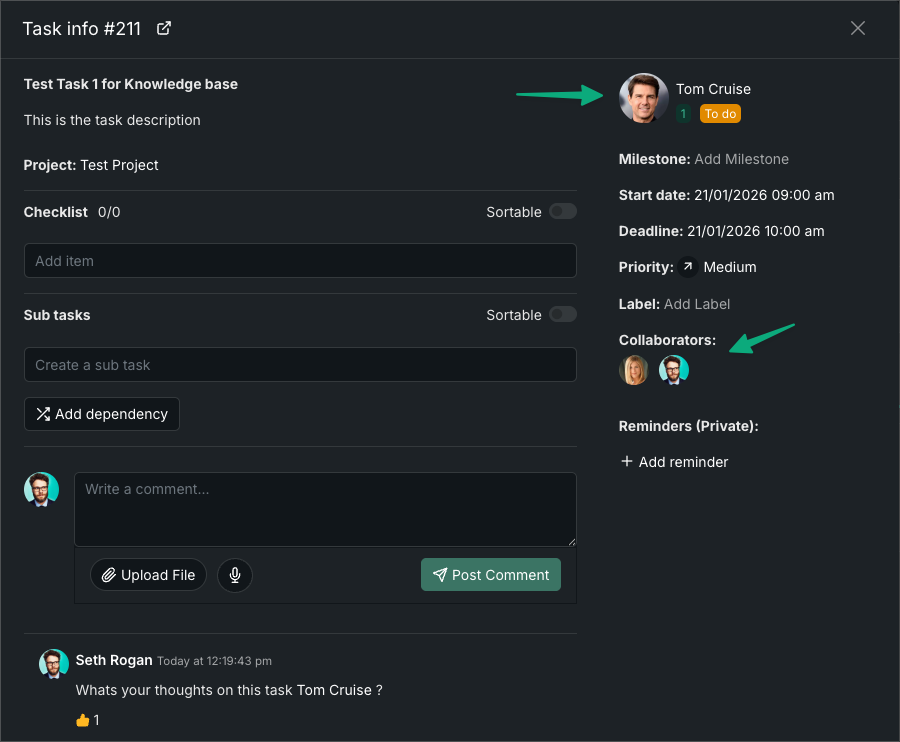
Tasks can be assigned to individual team members, including Tecology staff, clients, or internal IT teams.
Collaborators can also be added so multiple people can follow progress and contribute where needed.
Tasks in ongoing projects and retainers
Ongoing services such as monthly retainers and MSP plans are managed as projects.
This allows tasks to be added on an ongoing basis, ensuring all work is tracked consistently over time while maintaining a clear history of activity.
Tasks vs support tickets
Tasks are used for agreed project work.
If you have a new request, issue, or question that has not yet been reviewed or scoped, it should be raised as a support ticket first.