Categories
Commenting on Projects and Tasks
Comments are used to communicate directly within projects and tasks. They help keep discussions, decisions, and files tied to the work they relate to.
Where you can leave comments
You can leave comments at both the project level and within individual tasks.
Project comments are useful for general updates or discussion, while task comments should be used for messages specific to that piece of work.
Using comments for collaboration
Comments allow clients and the Tecology team to communicate without relying on email or live chat.
This keeps context, decisions, and responses visible to everyone involved in the project.
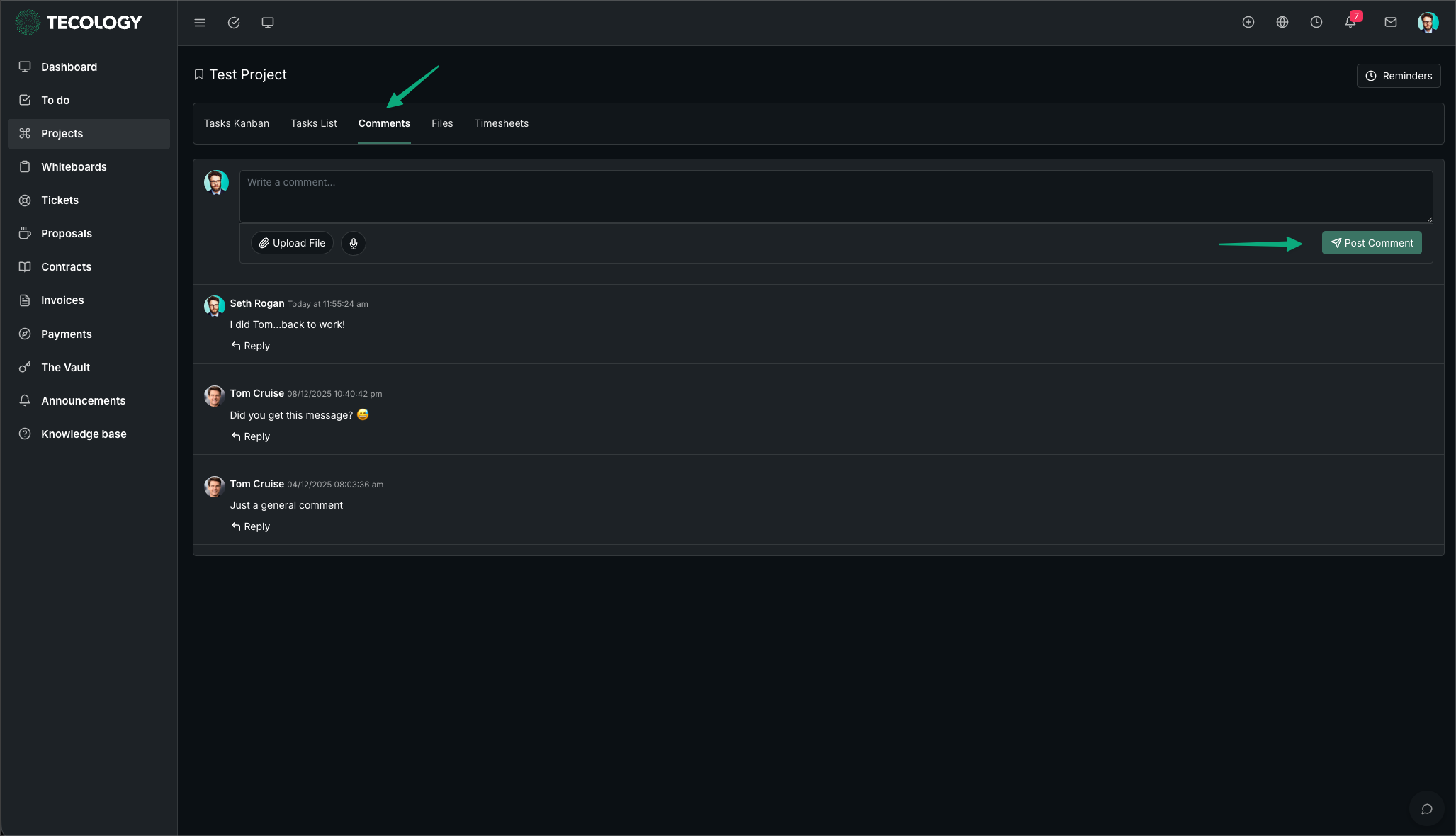
Fig 1.1 - Project Comment
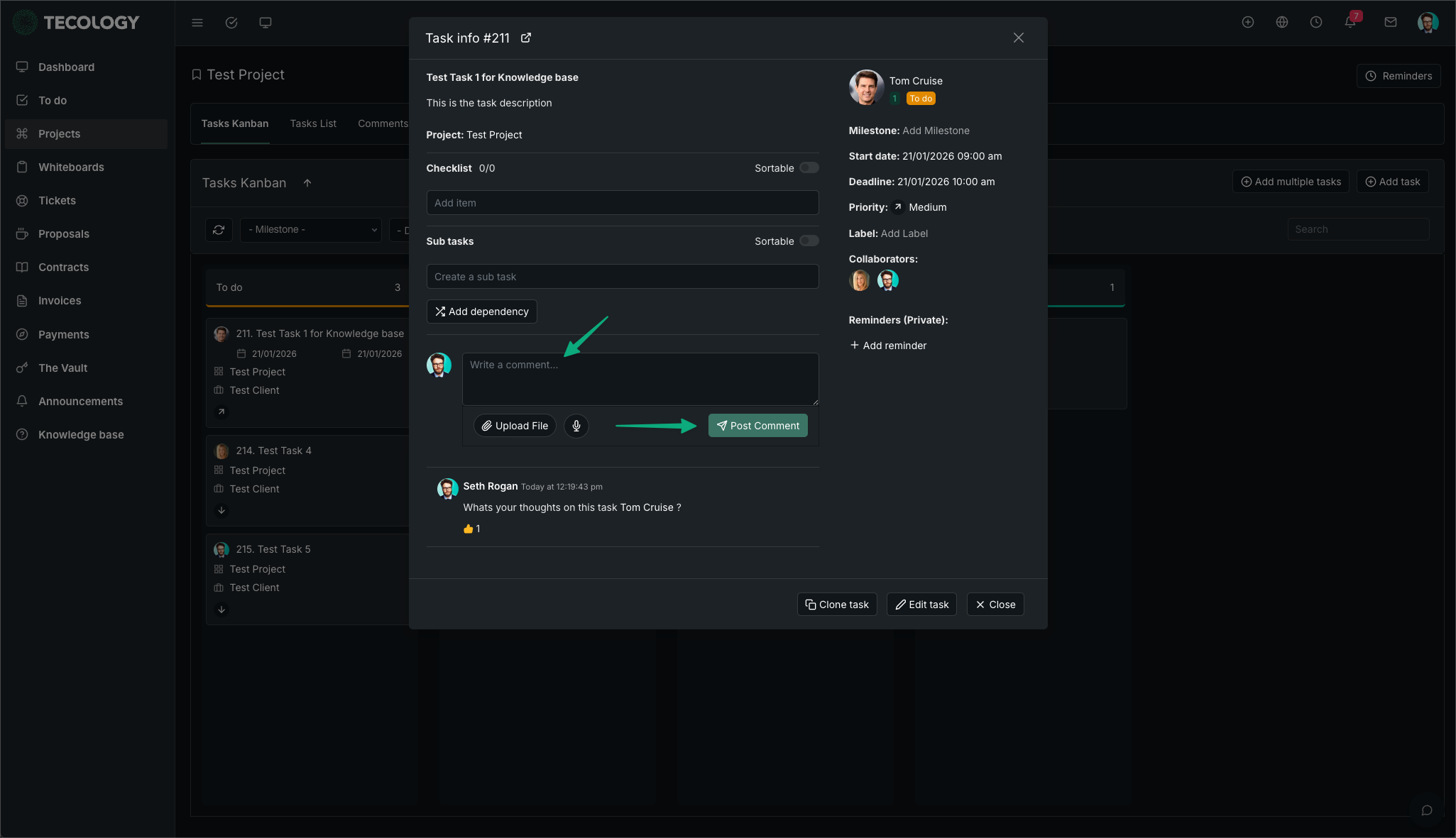
Fig 2.2 - Task Comment
Mentioning people using @mentions
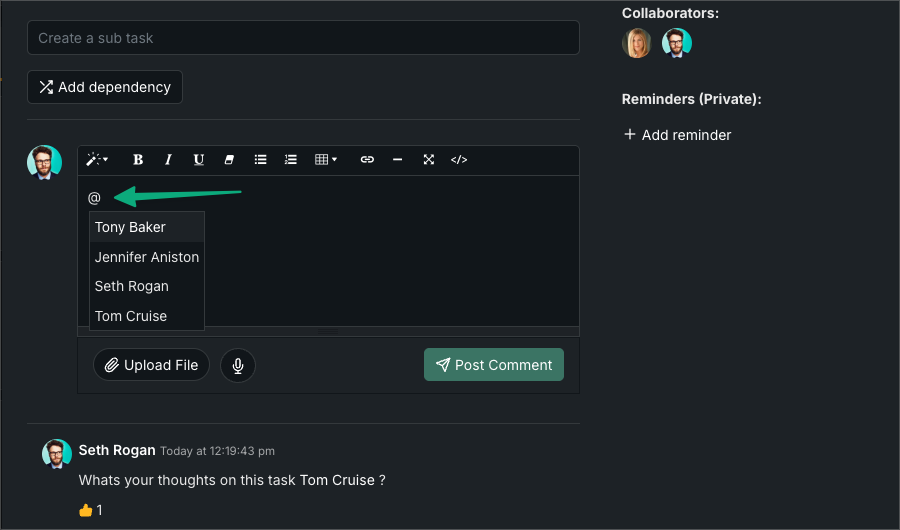
You can notify a specific person by using the @ symbol followed by their name.
As you type, a list of people associated with the project will appear. For example, typing @Tom Cruise will notify Tom and draw attention to that comment.
Uploading files in comments
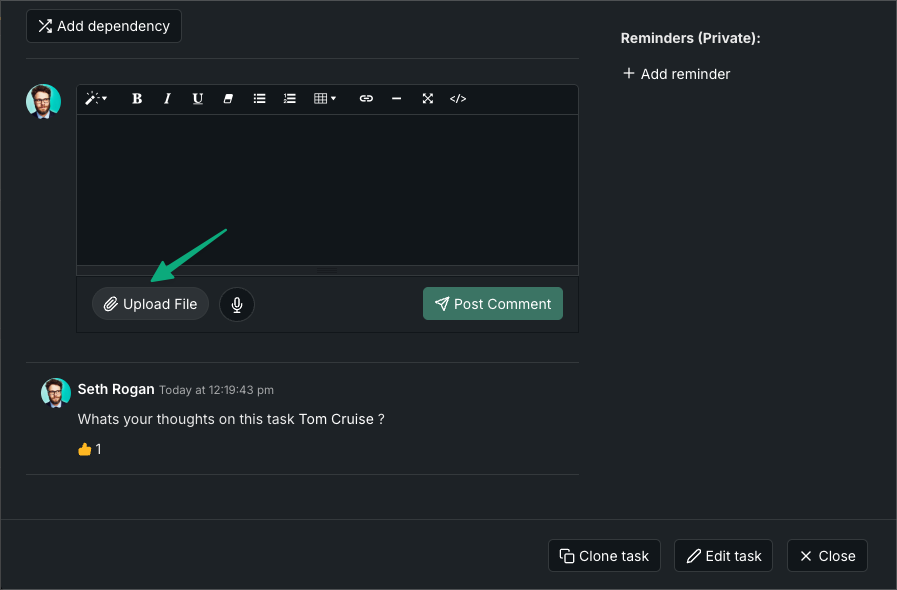
Files can be uploaded directly within comments.
This allows documents, screenshots, or reference files to remain attached to the project or task they relate to, avoiding confusion over versions or context.
When to use comments vs live chat
Comments should be used for anything related to project or task delivery.
Live chat is best suited for quick questions or informal communication, while comments create a permanent, searchable record linked to the work.