Categories
How Notifications and Updates Work
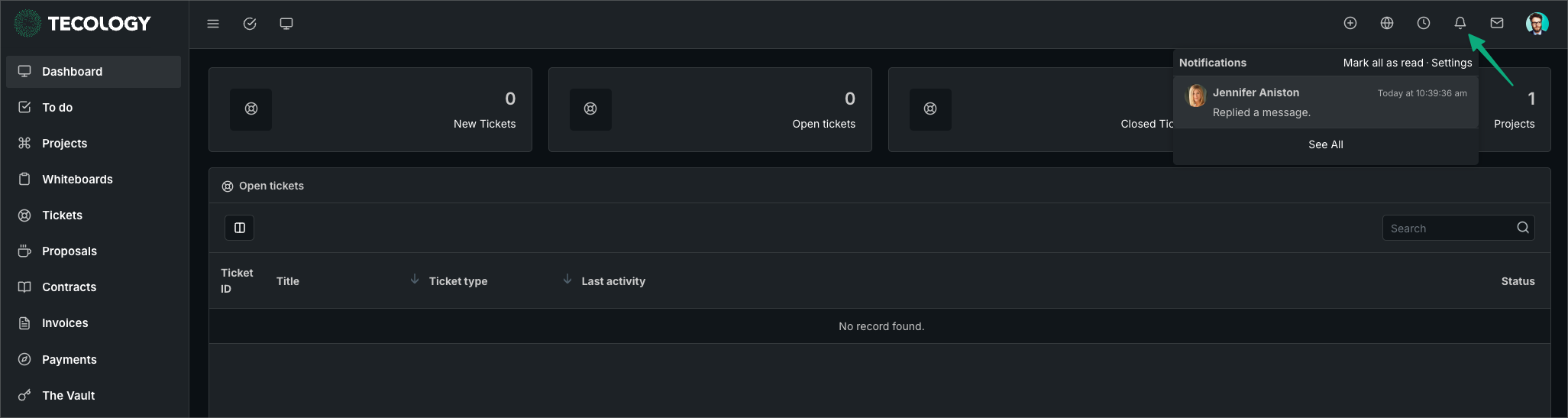
Tecology Workspace keeps you informed about activity related to your account, such as support replies, project updates, and changes that require your attention. Notifications help ensure you don’t miss important updates without needing to check the portal constantly.
Where notifications appear
Notifications may appear directly within Tecology Workspace and, in some cases, may also be sent to your email address.
What you see depends on your role, your access level, and the type of activity taking place.
What you’ll typically be notified about
You may receive notifications when:
- A support ticket is updated or replied to
- There are updates to a project or task you’re involved in
- Information is shared or changed that relates to your access
Not every action generates a notification. Some updates are visible only when you view the relevant section.
Email notifications
Email notifications are intended to alert you to important activity, not to replace the portal.
For full context, replies, and tracking, it’s always best to open Tecology Workspace and view the update directly.
Managing expectations
Notifications are designed to keep you informed, not to indicate urgency or priority.
If something requires action from you, this will usually be clear within the support ticket or project update itself.
Managing your notification preferences
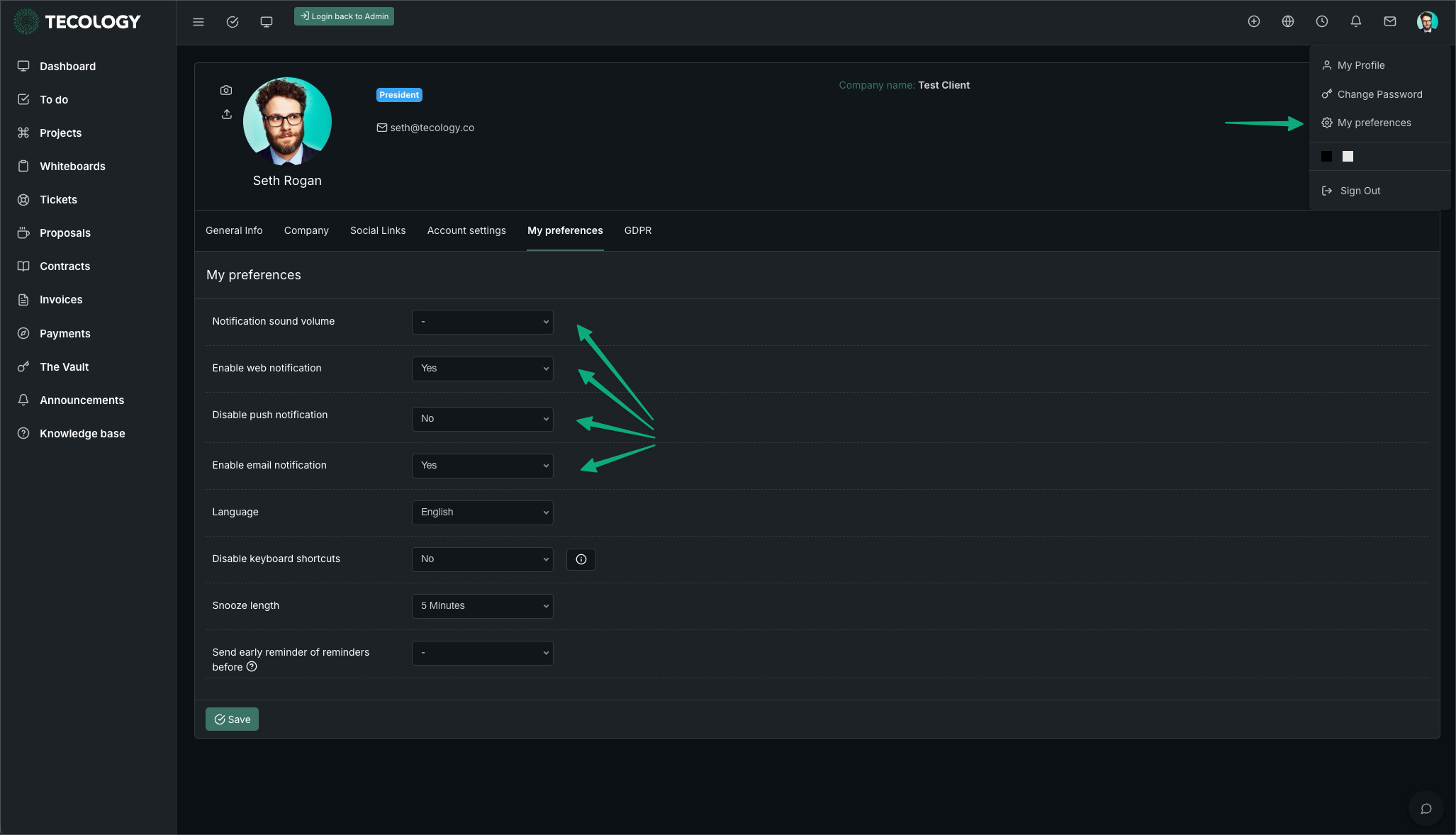
You can control how you receive notifications through your personal preferences in Tecology Workspace.
From your profile menu, select My preferences to review options such as email notifications and in-platform alerts. These settings allow you to choose how you’re notified, but they do not affect what activity is recorded in the system.
Even if notifications are disabled, updates and replies will always be available when you view the relevant support ticket or project.
Next step
If you receive a notification, follow it through to Tecology Workspace to view the full details. For questions or requests, submitting a support ticket is always the best place to start.