Categories
Making a Payment
Tecology accepts payments through secure online payment links or via bank transfer. All payments are initiated from an invoice generated within Tecology Workspace, ensuring accuracy, traceability, and clear records.
Paying an invoice online
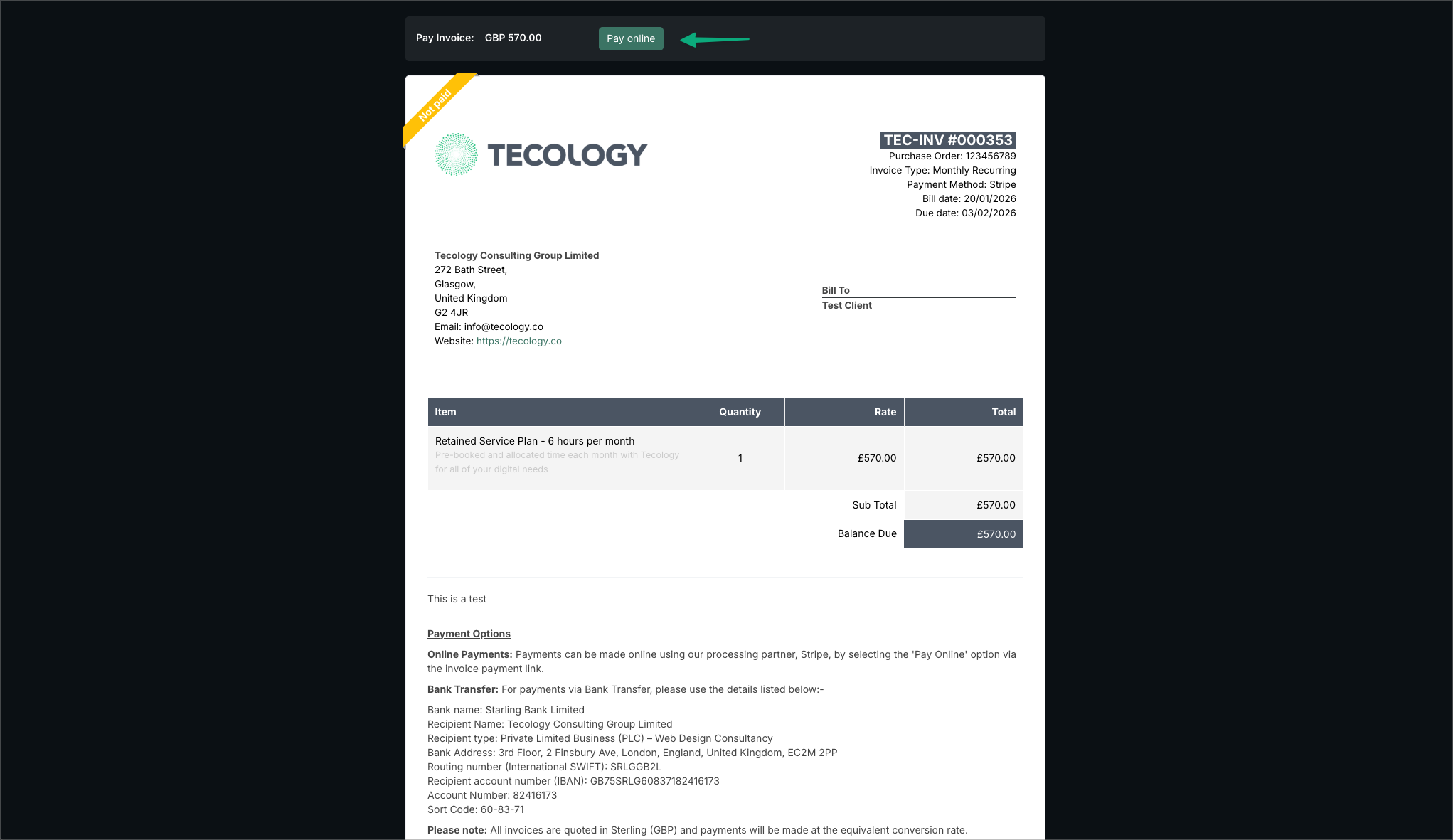
For most clients, the easiest way to make a payment is online using the Pay Online option on the invoice.
Invoices can be paid without signing in to Tecology Workspace. This is particularly useful for finance teams or accounts departments who only need to process payment.
To pay online:
- Open the invoice using the secure payment link provided
- Select Pay Online
- Follow the secure Stripe payment steps
Online payments are processed securely by Stripe. Tecology does not store or have access to your card details at any point.
Recurring invoices and automatic payments
For clients on monthly retainers or recurring service plans, invoices are issued automatically as part of a Stripe subscription.
In these cases:
- A secure Stripe payment link is sent directly with the invoice
- The first payment is taken on the specified payment date
- Payments are then taken automatically each month thereafter
Payment card details are stored securely by Stripe and reused for future subscription payments. Tecology does not store or manage card details at any time.
This ensures recurring invoices are paid consistently without requiring manual action each month.
Paying by bank transfer
If you prefer to pay by bank transfer, you can do so using the details provided on your invoice.
Please use the following bank details when making a transfer:
- Bank name: Starling Bank Limited
- Recipient name: Tecology Consulting Group Limited
- Recipient type: Private Limited Business (PLC) – Web Design Consultancy
- Bank address: 3rd Floor, 2 Finsbury Ave, London, England, United Kingdom, EC2M 2PP
- Routing number (SWIFT): SRLGGB2L
- IBAN: GB75SRLG60837182416173
- Account number: 82416173
- Sort code: 60-83-71
When paying by bank transfer, please ensure the invoice number is included as the payment reference to avoid delays in processing.
Currency and conversion
All invoices are issued in Pound Sterling (GBP).
If you are paying from an international account, the payment will be made at the applicable exchange rate set by your bank or payment provider.
Payment confirmation and receipts
Once your invoice has been successfully paid:
- The invoice status will update in Tecology Workspace within the next business day.
- A digital receipt will be sent via email automatically
- The invoice and receipt will remain available for download
If you require a copy of a receipt at a later date, it can be accessed directly from your invoice.
If you need help
If you have any questions about making a payment, recurring billing, or if you believe a payment has not been applied correctly, please contact the Tecology support team and include the relevant invoice number.